
本文作者原创,首发在本博客;CSDN 上的同名文章已标注为转载并回链到本页:https://blog.csdn.net/qq_30220519/article/details/139508912
GitHub - ArthurSonzogni/cppcms: CppCMS Framework
1 |
|
1 |
|
创作不易,小小的支持一下吧!


本文作者原创,首发在本博客;CSDN 上的同名文章已标注为转载并回链到本页:https://blog.csdn.net/qq_30220519/article/details/139508912
GitHub - ArthurSonzogni/cppcms: CppCMS Framework
1 |
|
1 |
|
本文作者原创,首发在本博客;CSDN 上的同名文章已标注为转载并回链到本页:https://blog.csdn.net/qq_30220519/article/details/139508363
1 |
|
本文作者原创,首发在本博客;CSDN 上的同名文章已标注为转载并回链到本页:https://blog.csdn.net/qq_30220519/article/details/139481721
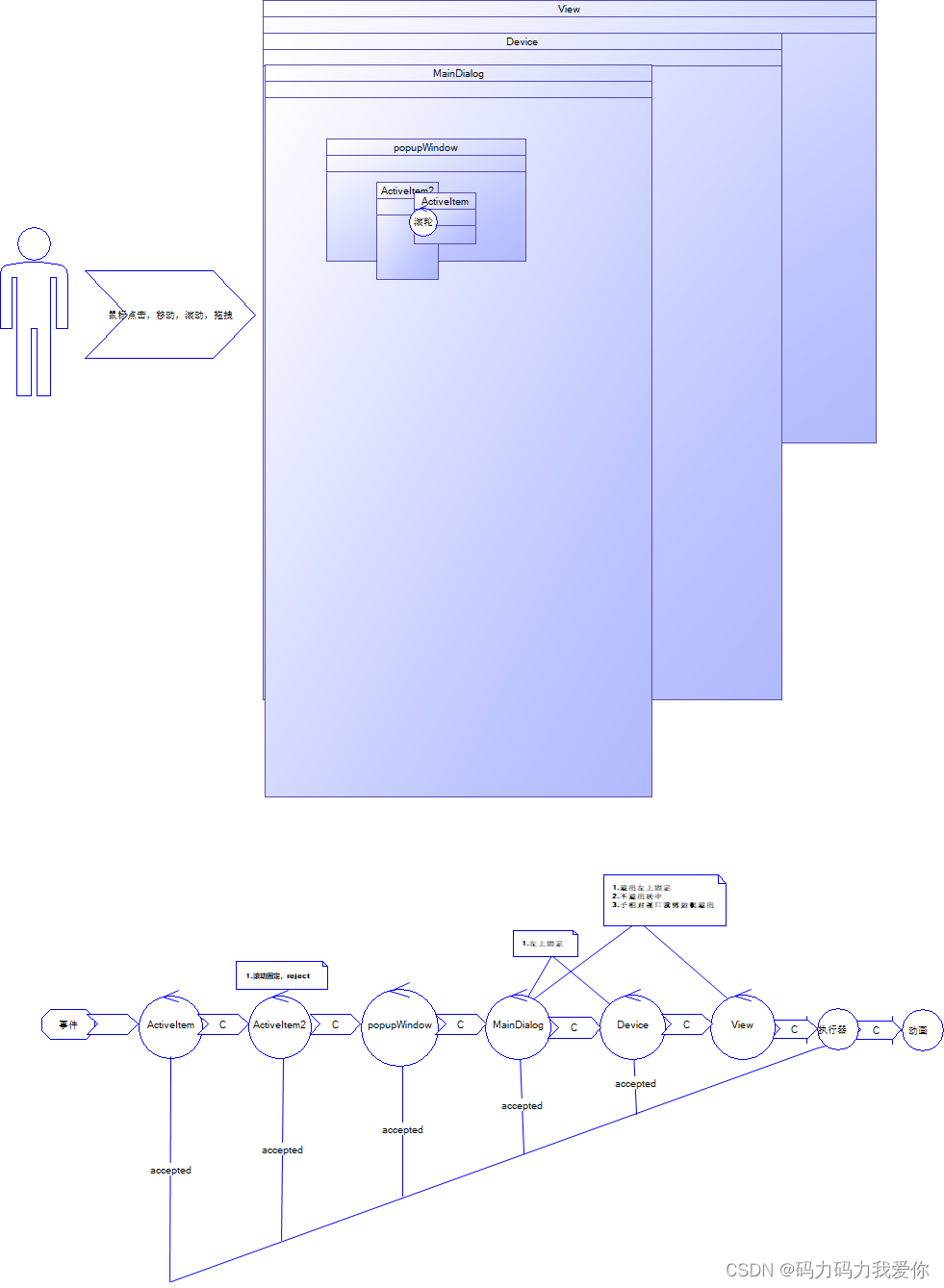
ActiveItem事件响应区域:父对子裁剪后有效正向矩形热区
本文作者原创,首发在本博客;CSDN 上的同名文章已标注为转载并回链到本页:https://blog.csdn.net/qq_30220519/article/details/139442835
GitHub - ArthurSonzogni/FTXUI: :computer: C++ Functional Terminal User Interface. :heart:
1 |
|
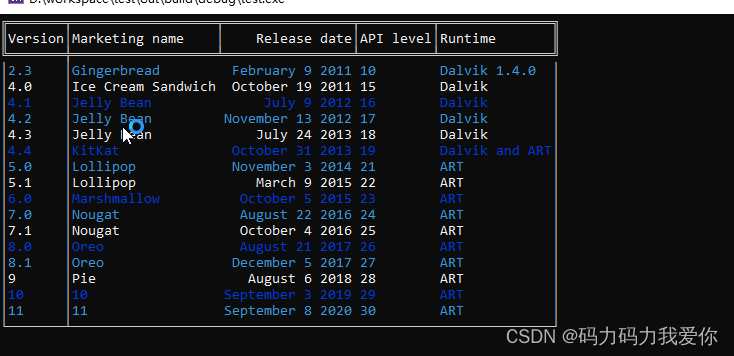
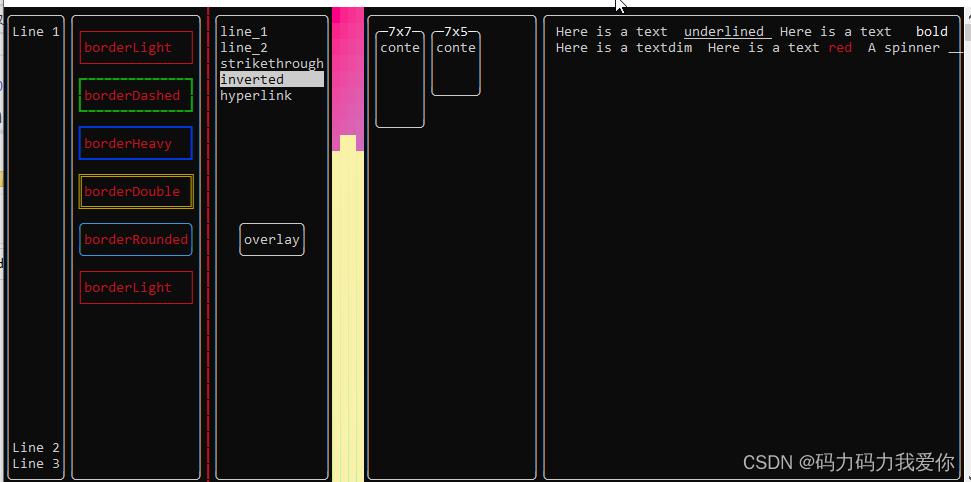
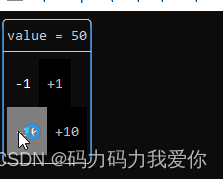
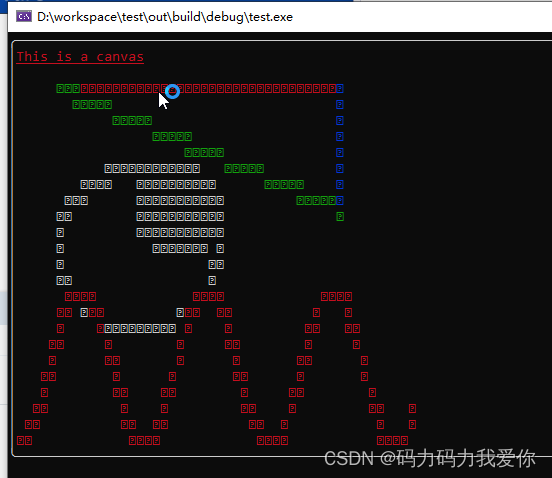
GitHub - ArthurSonzogni/StartUp: Terminal Dashboard
GitHub - ArthurSonzogni/turing_cmd: Машина Тьюринга с интерфейсом в командной строке
本文作者原创,首发在本博客;CSDN 上的同名文章已标注为转载并回链到本页:https://blog.csdn.net/qq_30220519/article/details/139424962
1 |
|
https://github.com/wolfpld/tracy
本文作者原创,首发在本博客;CSDN 上的同名文章已标注为转载并回链到本页:https://blog.csdn.net/qq_30220519/article/details/139392565
1 | Container(容器)集合成 Services(服务) 交互集合成 Stack(堆栈) |
1 | 查找Docker Hub上的mysql镜像 |
参考地址:
Docker实战之安装配置Hadoop-2.5.2完全分布式集群_docker hadoop 2.5-CSDN博客
Docker实战之安装配置Hadoop-2.5.2完全分布式集群_docker hadoop 2.5-CSDN博客docker学习笔记(一)—— ubuntu16.04下安装docker_ubuntu16.04安装docker-CSDN博客
Docker的安装配置及使用详解 - 明天OoO你好 - 博客园
本文作者原创,首发在本博客;CSDN 上的同名文章已标注为转载并回链到本页:https://blog.csdn.net/qq_30220519/article/details/139392421
1 | from flask import Flask |
1 | # 使用Python官方镜像作为镜像的基础 |
docker build -t flaskhello .
docker images
docker run -p 4000:80 flaskhello
后台运行,获得一个容器的ID
docker run -d -p 4000:80 flaskhello
看到缩短的容器ID:
docker ps
分享你的镜像
账号注册
test2018
aaaaaa
//登陆
docker login
给镜像打标签
docker tag flaskhello test2018/flaskapp:demo
推送到远端
docker push test2018/flaskapp:demo
随时随地都可以执行
docker run -p 4000:80 test2018/flaskapp:demo
本文作者原创,首发在本博客;CSDN 上的同名文章已标注为转载并回链到本页:https://blog.csdn.net/qq_30220519/article/details/139375561
docker tag 99e874752e6a predixy:9.0.0
docker image ls -a
docker images
docker ps
docker inspect 99e874752e6a #镜像详情查看
docker inspect -f ‘{{.ID}}' 99e874752e6a #99e874752e6a575e3f8ac34a619bd912a99975d27a4fbbe8c91a90149a3a2636
docker stop 99e874752e6a
docker rm 99e874752e6a
docker rmi image.com/mgw/predixy:9.0.1 #移除镜像标签
docker cp 99e874752e6a575e3f8ac34a619bd912a99975d27a4fbbe8c91a90149a3a2636:/opt/predixy E://
docker exec -it 99e874752e6a575e3f8ac34a619bd912a99975d27a4fbbe8c91a90149a3a2636 /bin/bash
docker save 99e874752e6a > predixy.tar
docker tag predixy:9.0.0 image.com/mgw/predixy:9.0.1
docker push image.com/mgw/predixy:9.0.1
docker tag ea3c1aff10e4 image.com/mgw/predixy:9.0.2
docker push image.com/mgw/predixy:9.0.2
docker tag bb84eda5b3fe image.com/mgw/centos-make:7
docker push image.com/mgw/centos-make:7
me L#me34
#docker toolbox 添加私有镜像地址
docker-machine ssh default #进入虚拟机
sudo vi /var/lib/boot2docker/profile
--label provider=virtualbox
--insecure-registry image.com #新增私有仓库
exit #退出虚拟机
docker-machine restart #重启docker
docker-machine stop start status ls rm
#清除镜像缓存
docker system prune –volumes
#镜像运行
docker run -i -t image.com/mgw/predixy:9.0.1 /bin/bash
docker logs 99e874752e6a #查询镜像输出日志
杀死所有正在运行的容器.
alias dockerkill=’docker kill $(docker ps -a -q)’
删除所有已经停止的容器.
alias dockercleanc=’docker rm $(docker ps -a -q)’
删除所有未打标签的镜像.
alias dockercleani=’docker rmi $(docker images -q -f dangling=true)’
删除所有已经停止的容器和未打标签的镜像.
alias dockerclean=’dockercleanc || true && dockercleani’
GitHub - hadim/docker-qt: Compile a C++/Qt project within Docker.
GitHub - fffaraz/docker-qt: C++ Qt compile environment for Docker (Dynamically Linked, Statically Linked, and Cross-compiled to Windows)
[https://github.com/jivoi/dockerfiles

https://github.com/jivoi/dockerfiles](https://github.com/jivoi/dockerfiles “https://github.com/jivoi/dockerfiles“)
[https://github.com/ZZROTDesign/docker-clean
https://github.com/ZZROTDesign/docker-clean](https://github.com/ZZROTDesign/docker-clean “https://github.com/ZZROTDesign/docker-clean“)
本文作者原创,首发在本博客;CSDN 上的同名文章已标注为转载并回链到本页:https://blog.csdn.net/qq_30220519/article/details/139360587
1.影响path基础属性数据做key缓存,缓存的path应去除坐标变换,归一化。基础属性应满足C=A+B, B=C-A
2.高频path操作以(key+key+操作)做新key缓存。
3.高频修改高级属性,以新key+属性变更做新key缓存。
4.key与id做中转映射,支持业务扩展。
5.内存限制下,统计归一化基础属性key频次,对高频key进行LRU缓存
缺失模块。
1、请确保node版本大于6.2
2、在博客根目录(注意不是yilia根目录)执行以下命令:
npm i hexo-generator-json-content --save
3、在根目录_config.yml里添加配置:
  jsonContent:
    meta: false
    pages: false
    posts:
      title: true
      date: true
      path: true
      text: false
      raw: false
      content: false
      slug: false
      updated: false
      comments: false
      link: false
      permalink: false
      excerpt: false
      categories: false
      tags: true